Tuesday, 10 April 2012

Elements of game design, part seven: level design

Those of us would relate level design to environment design and visual composition saying “are they not the same?”, when in fact they are not. Well they could be and you can take into account certain compositions of the environment and keep it consistent within the level if you know how to make this effective when designing the level anyway. My answer is they do relate, but level design is much more technical and requires more thought than just visual juiciness. You need to be able to play it and explore it and interact with it and if you had high expectations after seeing just the compositional stills, it all comes down to how well the level was designed resulting in if it will satisfy those expectations or not.

So if I had an order in which to do these relating tasks to make the previous paragraph sound less difficult. I think with the ideas and stories and documentation thrown around, yes, create some concepts and some smashing compositions with points of interest and so on until some finals are ultimately agreed on. I can imagine when given the all clear from the bosses, that is where the level design comes in. The art team must start begin blocking out simple level structures. I know some companies do this to get a feel of space, scales and potential elements of interactivity and scene manipulation (such as walls breaking or buildings blowing up and sinking to reveal more of the environment, as a small example). I can actually imagine the process of level design will require all the different teams, animators, programmers and artists to work together to achieve the right effect for the level.

The process of level design figures out how you will traverse your environment, how you will see important assets, shows you how dynamic and alive it is, tells you how it relates to the game as a whole and so on. Once the initial structure is up, it will be open to constant change in order to deliver the right feel or show those fantastic money shots in the form of cut scenes or camera fixes.

Off the more general views on the subject, it really depends on what kind of game it will be in the first place to determine how the level will be structured. Fighting games like the new Street Fighter 4 series onwards and Blazblue have 3D backdrops that some could consider as level design but isn’t really. Yes you can have dynamic elements and crazy animations but as you shift left to right it is only a visual delight that requires less “level design”. Compare with a first person shooter and you have a lot more work ahead of you. Whatever playable area you have, there needs to be more minute details and elements of interaction from computers that blow up because you just shot them to a crate you need to kick to the other side of the room to get into that vent that is too high for you. ALL 1st person games give you freedom to look about your surroundings making more of a job to grab a player’s attention. That could be in the form of sounds in a certain direction, points which take away your freedom like cut scenes while in your players view or ones that take you out of the players view and while you are playing, areas that narrow down to a linear path so you cannot avoid the an event ahead of you or you need to find a smart way of traversing without getting killed.

Finally, 3rd person games can give you that freedom camera movement (I mean the right analog sticks on xbox and ps3 and the mouse camera movement on pc games) or they can make the whole level or certain parts of that level integrate fixed camera views meaning artists can really work on a sexy visual composition for the level as you are traversing it which I personally think is the most exciting way to design a level to keep somebody hooked while appreciating the artist’s effort to make an area look amazing from different angles. Prince of Persia sands of time was a game that actually allowed free camera movement through the levels but with the press of a button (and a cool whooshing sound), you could play areas in one fixed camera view as to see different angles and perhaps discover ways to get through a puzzly bit. Niiice.

Thursday, 29 December 2011

Elements of game design, part six: visual composition

To be extremely simple and straight to the point about this, visual composition is the arrangement of elements you see set out in a certain frame, photograph, painting, or perhaps even a 3D made object like a sculpture. I think without the average person  even realising it, they would be able to tell out of two pictures displaying the exact same amount of elements but placed differently, which one would be most visually pleasing according to compositional rules. However I do also think a test like that would leave you with mixed results as personal preference can change the way somebody sees and understands something. Not every artist or critic is the same and one person may even notice an element or shape you have created that you might have never even thought about. That is just the way life is and what makes it exciting.

I still think composition is important nonetheless and it is quite easy to tell if something is slightly off or if a picture could have been taken in a more appropriate position. Creating an image, constantly working on compositional technicality, is key to mastering it and this mastering process is done still during the planning and concepting stage of a game, bashing out those thumbnails and finding a pleasing end result.

So what rules do we try to follow when looking at or creating a picture? Instantly, the rule of thirds and amount of elements come to mind. I see it for everybody’s sake as two stages; the way somebody uses their eyes to scan the whole image then once focus in on a picture, observing the elements more closely. The rule itself tells you where yours elements lie within the images frame because you would visualise splitting the image into two thirds, both horizontally and vertically so that you have 9 squares. The 4 intersecting points in the middle tell you these are even points of interest. Think, if you had elements crammed to the left of an image you would think, what is the point of the rest of the space, or if you see one element slap bang in the middle, your attention Is obviously directed to it, ignoring whatever else might have meant to be interesting around it. This is not a good decision if you want to make your scene dynamic. If placed correctly, you want to be able to scan the whole scene and believe there is a good reason this is there, and that is further back there. To make a scene even more dynamic however, I have learnt that an odd number of elements may stop you from pairing objects together as we tend do this in general frequently.


Of course placing an object or objects directly on the mid sections of a 3 by 3 grid could be equally boring so it is good to consider depth and distance between objects closer up or away in the mountains. An even set negative spaces around the whole scene would indirectly attract somebody more to an image because you took thought and care into every single area you left empty around main elements. Lighting placement and shadows enhance an image greatly and give character to a scene or even be a main element to define a good arrangement and colours rules are another big point to take into account. It takes practise, practise, practise and a high quantity of studies to get the right outcome because, as I have been told on this course, working on one image for such a long time may well be a waste of your time because you got the composition all wrong in the beginning. Find your points of interest, lay out many variations of your scene, show them to others to see if they agree or what they prefer, then you can spend your time making it special. You need to make it appealing to others working in the games industry so following and mastering these rules will get you a on the right track to success hopefully.


This picture visually pleases me as the person is placed left to the centre of the image with space for his hair to flow to the right and i love the dull colour palette with specs of green to add almost an eerie aura to match his eyes. I like the background how it is lighter on the left compared to the darker space on the right where glittery specs intensify more. (did i mention i like manga? :P)

With my link below, I like a point the writer made here saying that rules are meant to be broken and following this rule doesn’t mean you have failed at making the image interesting. "a wise person once told me that if you intend to break a rule you should always learn it first to make sure your breaking of it is all the more effective!" Love It! :)

Refs
http://www.digital-photography-school.com/rule-of-thirds
http://my.deviantart.com/messages/#/d4ivpet

Wednesday, 28 December 2011

Elements of game design, part five: planning and concepting

Absolutely everything you see made in shops, online, on TV, heck, everything around you, begins with planning. Even the process to make something that has been planned needs to be planned out properly. Really, that begins with an idea and little jots and doodles on pen and paper to start with can go a very long way. But that is of course when you begin to concept on that idea, basically mapping out a variety of potential outcomes visually because think about it, the end result needs to be seen and needs to appeal to us humans at the end of the day so making various concepts for an idea are extremely important. That is my definition of the matter which leads me to think that everybody needs that visual understanding if they are going to work in any job role. I notice that people who do not class themselves as “artistic” will still have some sort of idea of it such as being organised or tidy noticing something that doesn’t seem right or even seeing the clothes they wear. Now, I believe you should not really call somebody artistic, just more visually aware and having that visual understanding, because as I might have explained before (can’t remember), art and design is not a talent, it is a set of rules you must give yourself the patience to learn, realise and practise like any other academic course.

So with the bottom line out of the way, planning for games, you may start with a genre in which to base the game, a story to develop off of it, characters that may be involved. It’s good to clear up the overall mood and colour palette of a game. Seeing a well layed out scene can instantly tell you what you could be getting yourself in for before playing a game. The biggest similarity to planning and concepting a game is when planning and concepting a movie or a drama TV show. I just believe games are a more difficult and complex process. A movie scene has props in the background to enhance and set the scene further that not everybody will notice. Then you have certain games where you want to explore beyond strategically set out scenes. As you have the time and ability to search your surroundings you would be more curious as to what could be around the corner of this dark room or, what happens if I hit this purple mushroom. I believe all that is relevant to planning a game scene. The more notes and explanation with your concepts, the better the point you are trying to put across to the developers showing how organised you are. You are trying to make progress after all.


You may have been given certain instructions on what kind of scene to create but with concepts, I think there is no problem in adding your own little twist which may turn out to be a good new idea to work on once everything is confirmed. It’s all about bashing out those thumbnails, throwing in some colour here and there, ditching a bit of this, adding a bit of that until, somebody goes ‘YES! I like where this is going’. Then you set bigger scenes, add some characters, some depth, some textures, some emotion and so on until you have an environment or character ready to build fully.

I absolutely love art books you get with special editions of games and concept art you unlock through playing games displaying initial ideas that were different to final ideas, for example mirror’s edge, when you collect all the bags or god of war 1 showing older concepts of their 3D character models. I love how Guild Wars would show their final digi paints on the loading screen as you enter that certain area. You just appreciate it all more when you see a progression to the outcome.

Refs:

Tuesday, 6 December 2011

Digi Paint Update 1 - How to make a digital painting using photoshop.

So I have developed some digital paintings for my year 2 visual design finals which was my main goal as most of my finals in the first year were mainly pencil drawings, one canvas acrylic painting and a watercolour painting. And this is to show progress from my appalling attempts over the summer break. I will show you my bradgate park final which I ended up saving in stages because of breaks I took inbetween, It will be quite interesting to show you the techniques I have developed over a short space of time still being a beginner and all. I will go through them step by step.


Here i blew up my brief final composition to A4 size in my sketchbook, and went over it in pen. Got it scanned and into photoshop for me to begin next step.


Here, using the drawing on an upper layer and after changing its blending options to multiply, i start blocking in the basic colours bit by bit with a big sized brush.


I begin to add more detail, preferably from the background of the the image to the front, for example, doing the sky, then the forest, then the landscape coming up to the main vocal point, the tree.


So this is my final outcome. More defining details came later as I made my brush size smaller and zoomed in adding more tonal value to where it is needed and relevant textures. I don't want to be too specific as I shouldn't be taking too long to paint this ideally. If i want it to look bang on like the photo, what is the point, i may as well hand in the photo. I prefer to be brief, stating what i am trying to achieve with the painting and giving it a style rather than realism.


adding the drawing on top just to see gives an interesting effect and even sharpens areas or shows you where you may have adjusted the image. I perhaps adjusted certain items as i believed it was better for the composition.


Hope this helps even though i am just a beginner but i tried to make it simple as there are not enough simple tutorials out there (wait since when did this become a tutorial?? 0_o). Remember it doesn't need to be perfect, if something is unnaturally off, you will know and you will fix it. The majority of your audience will not see into it as deeply as you or your critics ;) See Ya

Monday, 5 December 2011

Reflection on year one, and ambition for year two

Having had a few months to get myself together over summer, I must admit I never used all of my time to learn which I partly regret but it has allowed time for me to finish some games I was meaning to complete ages ago, come out to all my friends and family 0_o, find a wonderful bf (let’s see if anyone reads this and catches on) and enjoy days out and so on. Reflecting on year one I really wanted to improve my visual design skills, having learnt the methods and techniques and such. I want to, in the second year maintain the standard of my understanding and begin to define my own personal style. With thumbnails building up to my final I need to be more specific on what I want to achieve in my composition and start whacking out those small studies meaning, spending less time faffing on them.

Another thing is my learning to digi paint using a graphics tablet on Photoshop. So over the break I barely picked up my tablet pen but when I did, I was frustrated at how, even as I tried to develop my paintings like all these good tutorials were showing me, something wasn’t right and my results came out a disaster. I currently have a discontinued (in other words, ooooooold) Wacom A6 Volito2 tablet and pen which, before this course, was given to me by my best mate as he hardly used it and wanted a tablet laptop eventually. I never used it up to this point even though I was meaning to at the beginning of the first year of uni. Anyway, stupid flipping me never realised that, even though tablets are basically more accurate versions of a mouse or laptop touch pad for drawing, they have PRESSURE SENSITIVITY LEVELS!! And I obviously didn’t install the software to activate this because the cd it came with never worked and I thought I was all okay because plugging it in made it work. I eventually installed the bamboo tablet software from the official website and all is well. I have a few studies below that show my progress during the disastrous period and I will eventually show my progress as I improve over the second year hopefully. Once I get the hang of it I want to make my very own style, even though it may be similar to others I need to find my comfortable point, stick with it and work on it to create good shit.

First study before i knew about pressure meaning it took long as i kept pressing down on the tablet to make darker values.


Before i knew about pressure, my failed desperate attempt (on the left) to paint an apple like the tutorial version on the right.


Finally when i installed the proper software, file name: ICANBLEND.psd 

So basically colour studies with watercolours, Photoshop and fast efficient thumbnails are my main focus points for the second year as I hardly did any in the first.

I am happy with my critical studies work over the last year but it became a rush towards the end and I had NO personal or progression posts meaning nobody knows about me and what I do or feel about specific work so that is a must this year, even if I make just a few blogs.

With game production I believe I can do well once I figure out good topology then good UV building techniques as I’m not entirely confident with my character design even though I would rather be an environment or asset designer. I need to be in the know and get over those hurdles in my mind so I have a method for everything then I can start speeding up and experimenting different techniques within 3DS Max. Good textures will come with my improving digi painting skills.

Lastly I want to develop my “Cool Shit” folder into a reference learning experience. Meaning folders within, specifically showing pictures I have gathered of inspirational 3D topology and paintings all included with text files explaining tips and tricks and things to remember. Hope I can do well this year J.

Refs:
http://www.tablet4u.co.uk/product/en/2_volito2-usb-windows.html

Tuesday, 8 November 2011

Update - MY BLOGS HAVE PICTURES

Yes i finally added some spice to my old blogs from the previous year.


This blog is to report that i am still alive and have made it to the second year of Game Art DMU and will soon be posting my main blogs and work updates for it! :) See ya.

Wednesday, 4 May 2011

Personal review of the first year

Ok so it’s like the end of the first year and all of us on the course have had time to develop our personal skills while given expert teaching methods pass  on from our tutors and each other. Despite my slower pace and workflow in the beginning I feel I have learnt a hell of a lot in terms of dealing with new software, discovering different aspects and techniques of producing good art work and how the industry is run over time as computer games increase. It all feels like is has gone extremely fast.

Everyone found 3DS Max rather difficult to get to grips with and so did I in the beginning. I thought I would never be able to create complex shapes in our to get the desired outcome, especially with the first task being a dalek. With a generally good idea of size and proportions, I began to feel one step ahead because I felt I began to crack mesh building and adding separate parts to an item the make the full one. Texturing worried me until I began to get more used to building up UVs and simply placing the textures onto areas. I think suggestions to improve overall quality of items or to help speed up simple process is to give as much examples of quick mesh building techniques such as twist and taper, although we can discover this ourselves with the time we have, im sure  a checklist of useful tools and where to find them or what shortcuts to press will please all years in speeding up their production of work. Plus, trying to get the right look for different materials textures need to portray.


My final 3D project was to make a weapon of choice, so i wanted a detailed sword. Rock added for random lulz :P

I knew I would struggle with visual design the most which is weird but I did not have enough practise beforehand which I really wanted to do during summer before starting the course. However given a new outlook from the very beginning and looking at already good artists within the same year, I felt I was starting from scratch all over again but learning the proper methods. I said to myself, “if only I could have learnt about some of this sooner”. Perspective and horizon lines were new to me, something I didn’t learn in college as we were given pure still life to work with. My details and rendering needed some help but with the discovery of mechanical pencils and tools like a blending stump and such, I believe at this point near the end of the course I have improved. I notice that giving yourself more time and not leaving work to the last minute allows you to be more relaxed and work comes out extraordinarily well as you experiment. I feel I am behind in one aspect in particular with digital painting which goes on to mean I have not had enough colour theory practise. What I suggest is that we should all be required to buy a small watercolour set and begin practising simple colour swatches and themes in order to learn about setting the mood before we get taught how to digi paint.


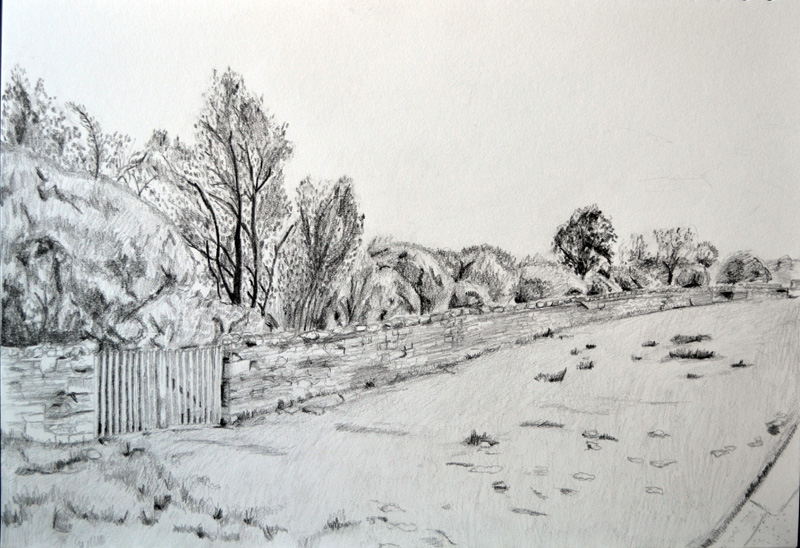
My final Visual Design project was a revisit to Bradgate Park, Leicester.

For me personally I am really going to work hard in learning to digi paint using brushes and so on in photoshop over summer as I have a graphics tablet and pen but have been hesitant to use it. I know there are recommended tutorials to follow and students who are already skilful in this section so consulting them will be a must. With 3D work I, am happy with my current progress but, with the summer and personal projects I want to learn the basics of UDK for the second year and learn faster techniques for mesh building and learn to build up more sharp and convincing textures. Playing high rated games and watching movies are great for reference and taking ideas of colour schemes and perspective or even finding key mistakes. I will carry on reading ad learning about the industry as my dad never stops buying games magazines anyway. The main goal I want to achieve is better concepting when it comes to creating or adding original ideas to work and once I improve with photoshop painting, I believe I can place myself on the same level as the stronger students in my year.

A lot has been learnt but there is tons more to learn and it never stops, in when you find a job. But that is what makes this course and working in this changing industry so exciting. I will be posting much more blogs of progress and what I find interesting over summer in my particular goals. Until next year :).